




CORE Insights Quick Start Guide
Select a step to see the instructions. On mobile, the steps open as an accordion.
Step 1
Access your portal and connect clients
Outcome: your portal is accessible and your first clients are available in CORE Insights.
If you have already set up your portal and connected clients, you can move directly to Step 2.
- Set your password and complete two-factor authentication.
- Watch the login video below if you need help accessing your portal.
- Add your clients using the Connect your clients guide.
- If you use Xero, you can connect several organisations at once using the Xero bulk connection guide. Bulk connection is available for Xero only.
- Once connected, select CORE Insights from the portal homepage.
Watch: accessing your VFD Pro portal
Watch: connecting your clients
Watch: Xero bulk connection
This option is available for Xero only. Use the video above for general client connection guidance.
Step 2
Choose how insights are assessed
Outcome: CORE Insights is using the right criteria and thresholds for the clients you want to review.
Use the default configuration for a quick and consistent start, create your own configuration for all clients, or apply different configurations to selected client groups.
- Open CORE Insights from the VFD Pro portal homepage.
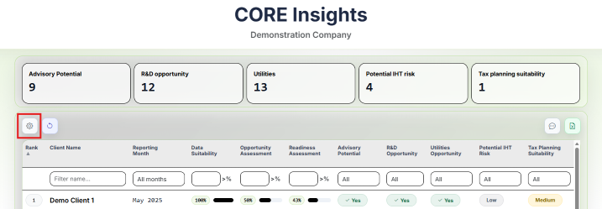
- Select the cog to open the configuration module.
- Select Continue on the configuration overview.
- Choose the configuration you want to amend. New users will be taken into the default configuration.
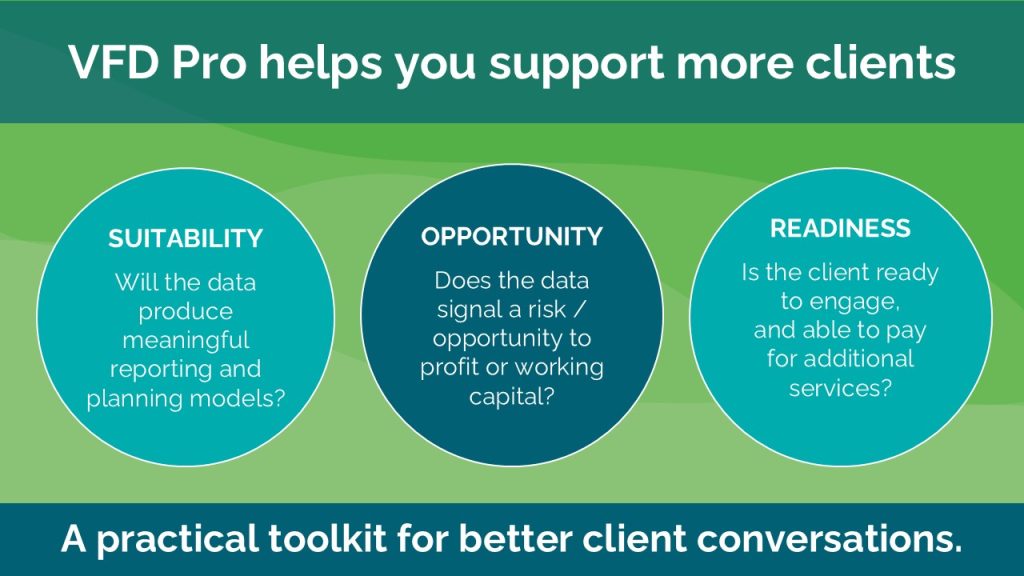
Suitability
Checks whether the accounting data is sufficiently complete and reliable to support meaningful analysis.
Opportunity
Identifies potential profitability or working-capital risks and opportunities using your selected thresholds.
Readiness
Assesses whether the client may be prepared and receptive to an advisory conversation.
IHT
Highlights businesses whose indicative valuation may suggest a potential inheritance-tax exposure.
R&D
Identifies potential R&D opportunities using qualifying indicators and your chosen materiality threshold.
- Select which criteria should be assessed and set the relevant target percentages or thresholds.
- Within Opportunity, review both the Profitability and Working Capital tabs.
- Select Save, name the configuration and choose the clients to which it should apply.
- Select Save Configuration.
Please note: Applying a configuration to multiple clients can take at least 10 minutes. You can close CORE Insights and return later.

Step 3
Review the portfolio and opportunity cards
Outcome: you can see which clients may require attention and understand why they have been highlighted.
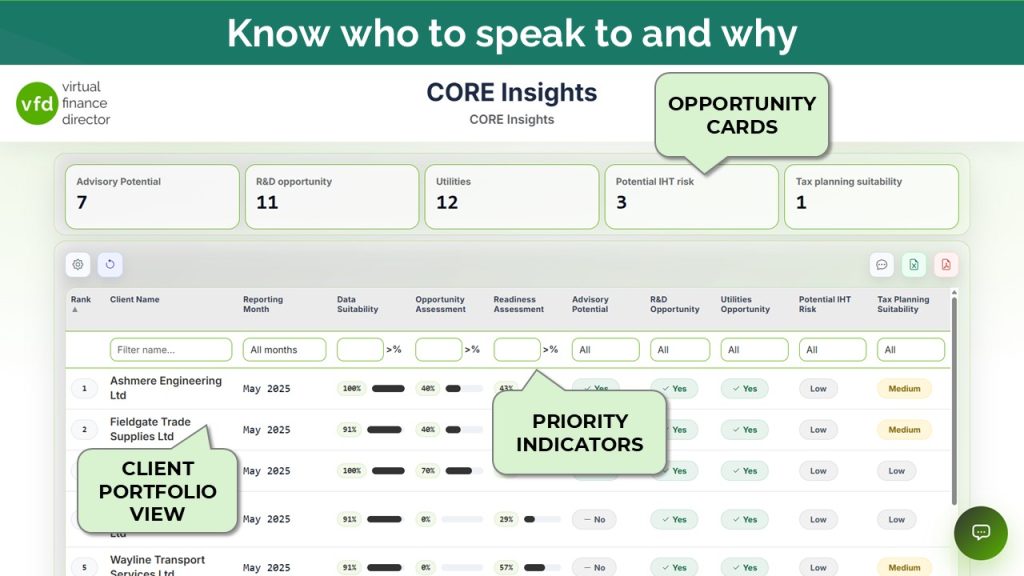
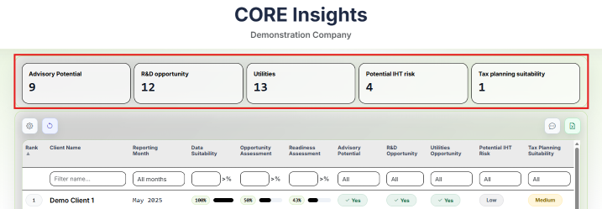
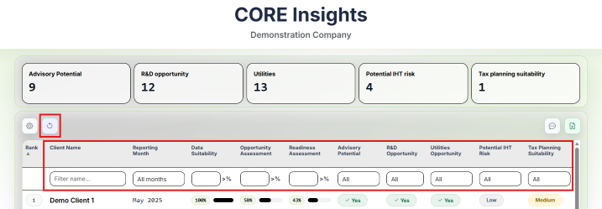
The portfolio review is the starting point for reviewing your entire client base.
- The opportunity cards show the results produced by the configuration applied to your clients.
- Advisory Potential lists clients meeting the thresholds for Suitability, Opportunity and Readiness.
- The remaining cards show clients meeting the criteria for each individual assessment.
- Select an opportunity card to filter the client list automatically.
- Use the manual filters or the reset button to change or clear the current view.
- Select the Excel icon to download the full set of client KPIs and assessment results.
Step 4
Carry out a detailed client review
Outcome: you can move from the portfolio-level signal to the detailed analysis for an individual client.
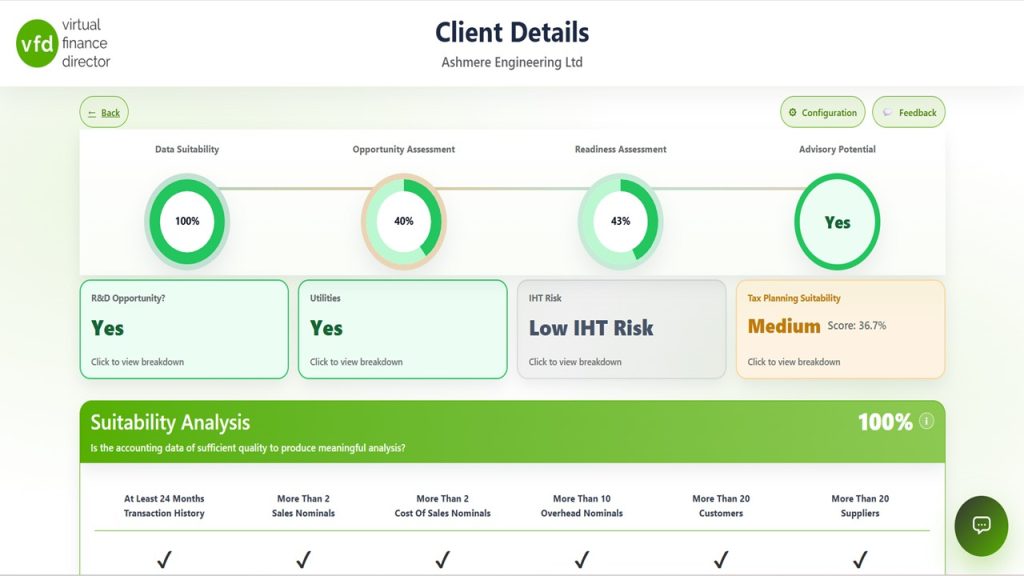
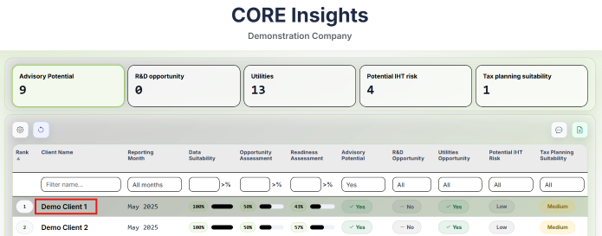
- Select a client name from the portfolio list.
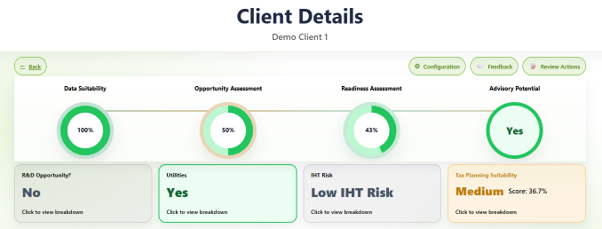
- Review the assessment results shown at the top of the Client Details screen.
- Select an opportunity card to open the more detailed analysis for that assessment.
- Continue down the page to review the Suitability, Opportunity and Readiness results.
Step 5
Investigate performance and prepare for a client meeting
Outcome: you can move from the headline results to a focused client communication or meeting agenda in a few clicks.
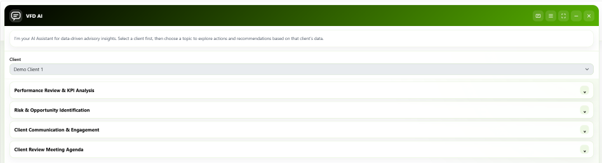
Select the agent icon in the bottom-right corner of the screen to open the VFD Agent. It can help you understand what is affecting performance and produce:
Performance Review & KPI Analysis
Produce a high-level review of the client’s performance.
Risk & Opportunity Identification
Identify the drivers behind profitability and working-capital movements.
Client Communication & Engagement
Prepare a short, objective email designed to start the advisory conversation.
Client Review Meeting Agenda
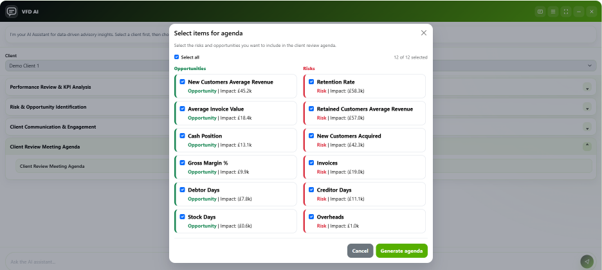
Create an agenda specific to the risks and opportunities currently present in the client’s business.
- Select Client Review Meeting Agenda.
- Choose the KPIs you want to discuss with the client.
- Select Generate agenda.
- Each selected KPI will receive its own agenda section with discussion points tailored to whether it represents a risk or an opportunity.
- Relevant VFD reports are identified using the format Report | Page Within Report, with a link back to the portal where available.
Please note: Access to the supporting VFD reports requires the Virtual Finance Director plan.



Step 6
Capture and review client actions
Outcome: actions agreed during the client meeting are recorded against the relevant KPIs and can be reviewed as work progresses.
Discussion points within the client agenda will often lead to actions that mitigate a risk or capitalise on an opportunity. These can be recorded directly within CORE Insights.
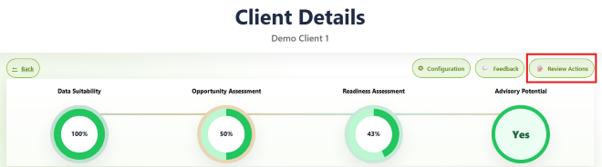
- From the Client Details screen, select Review Actions.
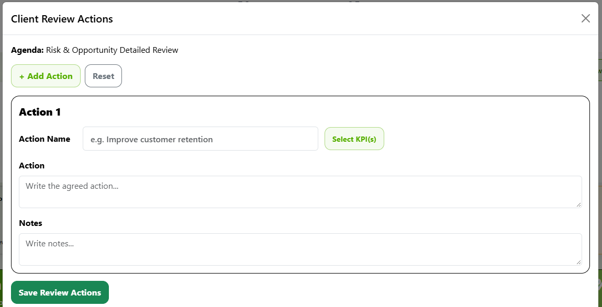
- Enter the Action Name to describe what the activity relates to.
- Use Action to record what the client is going to do.
- Use Notes to record how the client intends to complete it.
- Use Select KPIs to link the action to the KPIs it is intended to address.
- Select Save Review Actions.
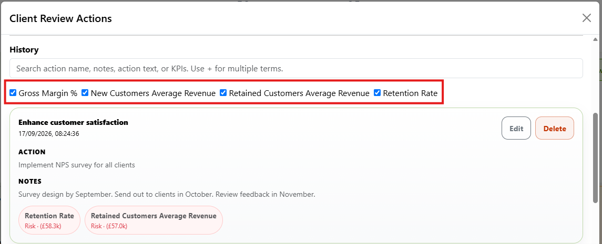
You can then view, edit or delete previously recorded actions. The KPI list contains every KPI with an action recorded against it; selecting a KPI filters the displayed actions to those associated with it.
Resources and support
Turn your findings into client conversations
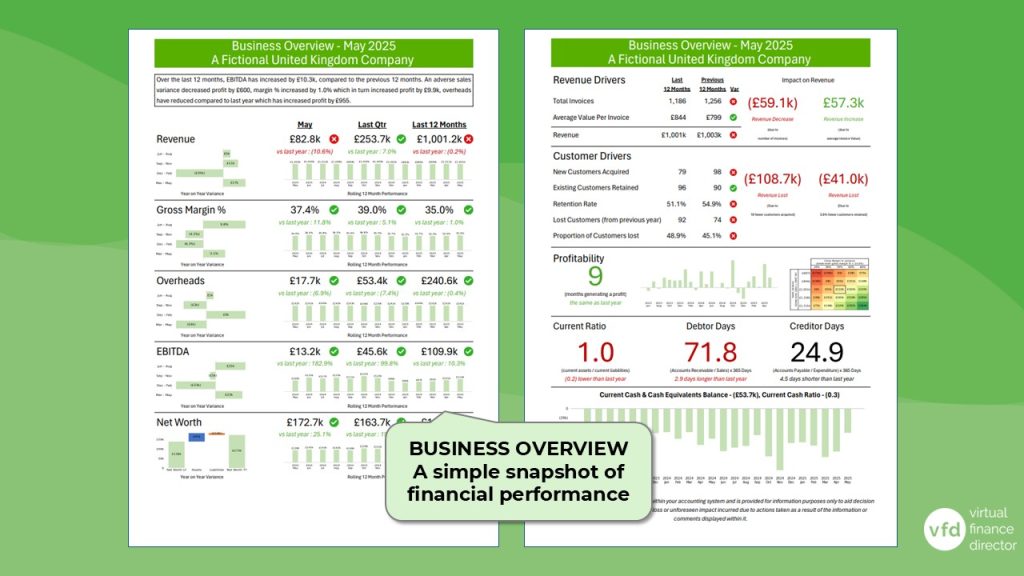
Use the Business Overview Report and these guides to prioritise your findings and prepare for a useful conversation with your client. You can return to these resources whenever you need them.
Business Overview Report
Use the Business Overview Report to support your review of the client’s performance and prepare for your discussion.
View Business Overview Report guide10 Questions to Ask After Running a CORE Insights Portfolio Review
A one-page worksheet to help you review your results, spot themes across your portfolio and decide which clients to speak to next.
Open 10 Questions guideTurning Insights into Conversations
Practical conversation starters and questions to help you discuss business performance, future plans and the opportunities highlighted in your review.
Open conversation guideAdditional support is available
If you would like help interpreting your results or planning client conversations, explore the support options available:
- CORE Insights Review Call: discuss your findings with a member of the VFD team.
- Mastery Programme: develop your use of Business Overview Reports and management reviews.
- Mastermind Groups: share ideas and learn alongside other accountants, advisors and finance professionals.